Import the corridor you already have
Load intersections, spacing, speeds, offsets and phase splits from a CSV, a SigTDD JSON export or a Synchro UTDF file. The diagram appears as soon as the file is read.
Build a corridor, watch the green wave form as you adjust offsets, and share the time-space diagram with a link. No installation. Free tier included.
Runs in any current desktop browser. Nothing to install, no credit card for the free tier.
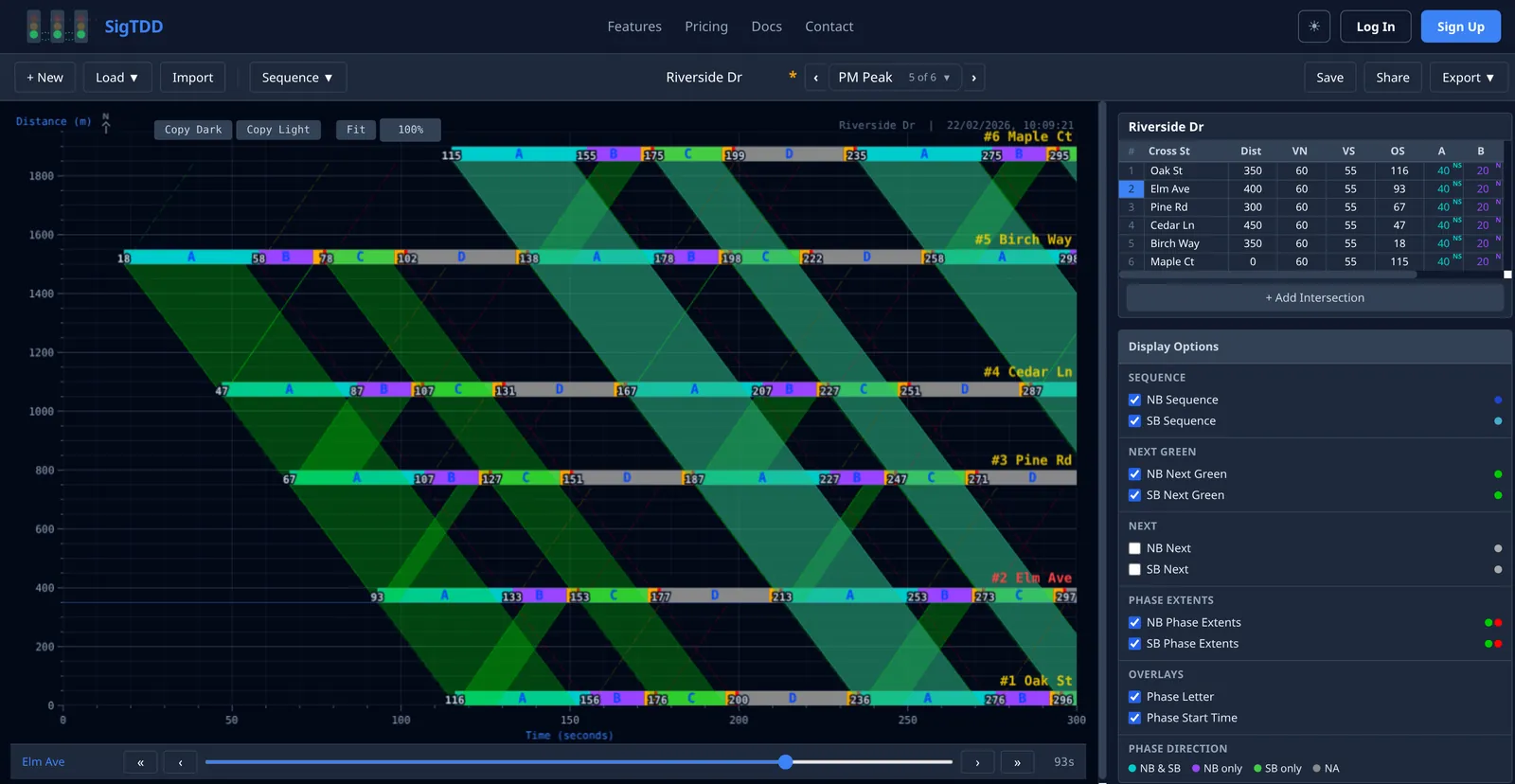
A time-distance diagram, called a time-space diagram in North American practice, plots distance along an arterial on the vertical axis and time on the horizontal axis. Each signalised intersection is a horizontal bar of green, amber and red phases repeating every cycle; a vehicle travelling at the design speed is a sloped line. When the offsets are right, the sloped band passes through green at every intersection: that band is the green wave, and its width in seconds is the bandwidth. SigTDD draws all of it live from the numbers in the intersection table.
Load intersections, spacing, speeds, offsets and phase splits from a CSV, a SigTDD JSON export or a Synchro UTDF file. The diagram appears as soon as the file is read.
Drag the offset slider or type a value and the time-distance diagram redraws immediately, with the progression band, next-green band and phase-extent lines you choose to show.
AM peak, PM peak and off-peak plans share one set of intersection geometry. Switch, duplicate and rename plans from the toolbar.
Auto-sequence calculates offsets from spacing and design speed for northbound or southbound progression; you refine from there.
Reviewers open the diagram in their browser without an account. Revoke the link when the review is over.
CSV and JSON for data, a dark or light copy of the diagram for slides, and a PDF with diagram and data table on the Pro tier.
The free tier saves up to 3 corridors with 2 timing plans each and up to 6 intersections per corridor, with CSV and JSON import and export, auto-sequence and share links. Pro raises the limits and adds PDF export and Synchro UTDF import.